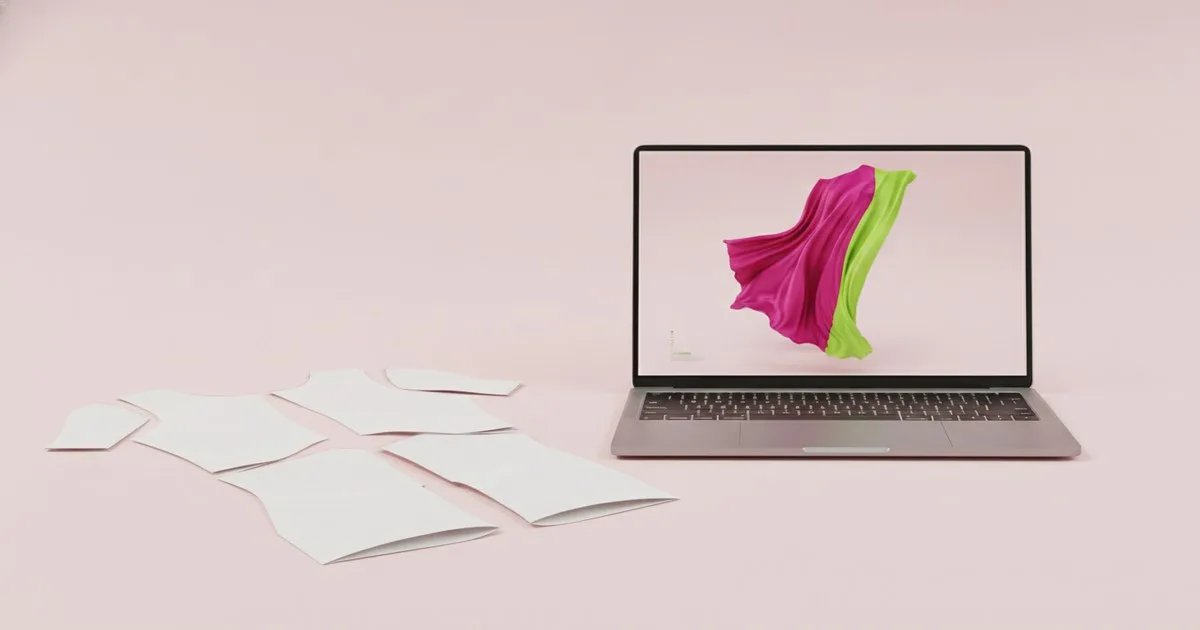
Both Browzwear and Marvelous Designer simulate fabric drape in three dimensions, and both have genuine fans inside fashion and entertainment. But they are not interchangeable. Each tool was built with a different user in mind, optimised for a different moment in the product lifecycle, and priced for a different kind of organisation. Choosing between them is less about which is "better" and more about which workflow stage you are trying to accelerate.
Key takeaways
- Browzwear is built end-to-end for fashion brands: it connects pattern files, fit validation, PLM systems and e-commerce asset generation in a single platform.
- Marvelous Designer — now part of CLO Virtual Fashion — excels at expressive, physics-rich garment creation and is widely used in game development, film VFX and independent fashion design.
- The two tools are not direct substitutes: brands running a full digital product creation programme typically need Browzwear's production pipeline; studios and individual creators doing high-fidelity visualisation gravitate toward Marvelous Designer.
- Both platforms are adding AI-assisted features — Browzwear with AI fit validation and on-model imagery, Marvelous Designer with a beta AI Pose Generator and a Pattern Drafter that converts sketches or measurements into patterns.
- Your choice should follow your deliverable: a production-ready tech pack and approved sample replacement, or a photorealistic garment asset for a render or game engine.
What exactly are these two tools?
Browzwear
Browzwear offers a 3D digital product creation platform built specifically for the fashion industry. Its core application, VStitcher, lets technical designers import 2D pattern files, assign fabric physics, and simulate how a garment will drape on a parametric avatar. From that simulation, teams can generate tech packs, approval visuals, and e-commerce imagery — including AI-generated on-model photos — without cutting a single physical sample.
The platform also includes Lotta (a design-focused tool for earlier creative stages) and SmartDesign (for rapid style exploration). Browzwear connects to PLM and ERP systems, which means a design decision made in VStitcher can flow directly into a supplier's production brief. That end-to-end connectivity is its clearest differentiator for enterprise fashion brands.
Marvelous Designer
Marvelous Designer is a 3D clothing design and simulation application now owned by CLO Virtual Fashion, the company also behind CLO 3D and the Swatchbook digital materials platform. Its latest release adds Off-Avatar 3D Pen Drawing, softbody simulation, and a beta AI Pose Generator alongside the Pattern Drafter — a tool that converts measurement points or flat sketches into workable patterns, nudging the software toward more automated garment creation.
Marvelous Designer is the tool of choice in game development and film VFX because its simulation engine produces visually rich, physically convincing cloth that renders beautifully inside Unreal Engine, Maya or Blender. Fashion designers use it for concept visualisation and portfolio work. Its pattern-based approach is familiar to anyone trained in traditional garment construction, but its output is optimised for the render pipeline rather than the factory floor.
How do they compare feature by feature?
| Browzwear | Marvelous Designer | |
|---|---|---|
| What it is | End-to-end 3D digital product creation platform for fashion brands | 3D garment simulation and design tool for fashion, games and VFX |
| Best for | Technical designers and DPC managers at fashion brands running digital sampling programmes | Game artists, VFX studios, independent fashion designers and concept visualisers |
| Simulation approach | Physics-based fabric simulation with AI-assisted fit validation; calibrated for production accuracy | Physics-rich cloth simulation optimised for visual fidelity in render engines |
| Pattern integration | Imports industry-standard 2D CAD files; outputs production-ready patterns and tech packs | Pattern-based design with a new Pattern Drafter (beta) for sketch-to-pattern conversion; export to DCC tools |
| Collaboration | Built-in approval workflows, PLM/ERP connectivity, multi-user review | File-based sharing; integrates with DCC pipelines rather than brand approval systems |
| AI features | AI fit validation, AI-generated on-model imagery | Beta AI Pose Generator, beta Pattern Drafter |
| Primary output | Tech packs, approved sample replacements, e-commerce assets | High-fidelity 3D garment assets for games, film, renders and portfolio |
| Limits | Steeper learning curve for users without a pattern-making background; enterprise pricing | Not designed for production handoff; limited PLM/ERP connectivity |
Browzwear: pros, cons and who it is for
What works well
- Production-to-pipeline continuity. A garment built in VStitcher can move from design approval to supplier brief without leaving the Browzwear ecosystem. For brands trying to reduce physical sampling, that continuity is the whole point.
- Fabric physics calibrated for accuracy. The simulation engine is tuned to replicate how real fabrics behave in production, not just how they look on screen. That distinction matters when you are trying to replace a physical fit session.
- AI fit validation. Browzwear's AI layer flags fit issues before a sample is cut, which brands we speak to report saves meaningful rounds of revision.
- E-commerce asset generation. AI-generated on-model imagery produced directly from the 3D file means the same digital garment that won approval can populate a product page — no separate photo shoot required.
- PLM and ERP connectivity. For teams already running a PLM system, Browzwear's integrations mean 3D decisions propagate into the wider product development record automatically.
What to watch
- Users without a pattern-making background find the tool demanding at first. The learning investment is real.
- Enterprise licensing reflects the platform's ambitions: it is priced for brands, not individual freelancers.
- The creative exploration tools (Lotta, SmartDesign) are improving, but Browzwear's sweet spot remains the technical validation and production handoff stage rather than early-concept ideation.
Who it is for
Browzwear suits mid-to-large fashion brands that want to run a genuine digital product creation programme — replacing or significantly reducing physical sampling, connecting 3D decisions to supplier briefs, and generating commercial assets from a single digital file. Technical designers, DPC managers and anyone responsible for compressing the sample-approval cycle will find the most value here.
Marvelous Designer: pros, cons and who it is for
What works well
- Visual simulation richness. The cloth physics engine produces some of the most convincing fabric drape available in a standalone tool. For render work, that fidelity is hard to match.
- Familiar pattern logic. Marvelous Designer's interface mirrors traditional pattern construction — panels, seams, grain lines — which makes it accessible to designers with a garment-making background even if they have never used 3D software before.
- DCC pipeline integration. Exporting to Unreal Engine, Maya, Blender or ZBrush is straightforward. The tool is a natural fit inside a game or film asset pipeline.
- AI Pose Generator and Pattern Drafter. The beta features signal a genuine move toward more automated workflows. The Pattern Drafter in particular — converting measurement inputs or sketches into patterns — is a meaningful step for fashion designers who want to iterate faster.
- Accessible entry point. Pricing is tiered in a way that independent designers and small studios can afford, which is part of why it has such a broad creative community.
What to watch
- Output is optimised for render engines, not factory floors. Producing a production-ready tech pack from a Marvelous Designer file requires additional steps and often additional software.
- Collaboration and approval workflows are not built in. Teams working across time zones on brand approvals will need to manage that process outside the tool.
- As part of CLO Virtual Fashion — which also owns Swatchbook and the CLO platform — Marvelous Designer sits inside a broader ecosystem. Users who want the full CLO Virtual Fashion stack can access complementary tools, but the integration between them is still maturing.
Who it is for
Marvelous Designer suits game artists, VFX studios, independent fashion designers and anyone whose primary deliverable is a high-fidelity 3D garment asset rather than a production-ready sample replacement. It is also a strong choice for fashion students and freelancers who need professional-grade simulation without an enterprise budget.
Which tool fits which workflow stage?
The most useful way to think about this choice is by deliverable, not by feature list.
If your end goal is a production-ready tech pack, a supplier-ready specification, or a replacement for a physical fit session, Browzwear is the more direct route. Its simulation is calibrated for production accuracy, its collaboration tools are built for brand approval cycles, and its PLM connectivity means decisions made in 3D propagate into the wider product development record.
If your end goal is a photorealistic garment asset for a game engine, a film render, a portfolio piece, or a concept presentation, Marvelous Designer's simulation richness and DCC pipeline integration make it the stronger choice. Its Pattern Drafter beta is also worth watching for designers who want to move faster from sketch to 3D without deep CAD expertise.
Some teams use both: Marvelous Designer for early concept and hero-asset creation, Browzwear for production validation and handoff. That is not an unusual arrangement in larger fashion organisations that serve both creative and technical functions.
For teams evaluating the broader digital product creation space — including where pattern intelligence, tech pack generation and 3D preview fit together — events like PI Apparel offer a useful lens on how brands are assembling these pipelines in practice. Vogue Business also tracks how leading brands are structuring their digital product creation investments.
FAQ
Can Browzwear and Marvelous Designer be used together in the same pipeline? Yes. Some teams use Marvelous Designer for early concept visualisation and hero renders, then move to Browzwear for production validation, fit approval and tech pack generation. The two tools serve different stages and are not mutually exclusive.
Is Marvelous Designer owned by CLO Virtual Fashion? Yes. Marvelous Designer is now part of CLO Virtual Fashion, which also operates the CLO platform and the Swatchbook digital materials library.
Which tool is better for replacing physical samples? Browzwear is designed specifically for that use case. Its simulation is calibrated for production accuracy, and its approval and PLM connectivity tools are built to support a digital sampling programme end to end.
Is Marvelous Designer suitable for fashion brands, or only for games and film? Marvelous Designer is used by fashion designers and independent studios as well as game and film artists. Its accessible pricing and familiar pattern logic make it a practical choice for concept work and portfolio pieces. For production handoff, brands typically need additional tooling.
What AI features are each platform adding? Browzwear is expanding AI fit validation and AI-generated on-model imagery. Marvelous Designer has introduced a beta AI Pose Generator and a beta Pattern Drafter that converts measurement points or flat sketches into patterns — a meaningful step toward more automated garment creation workflows.